Training my first robot policy
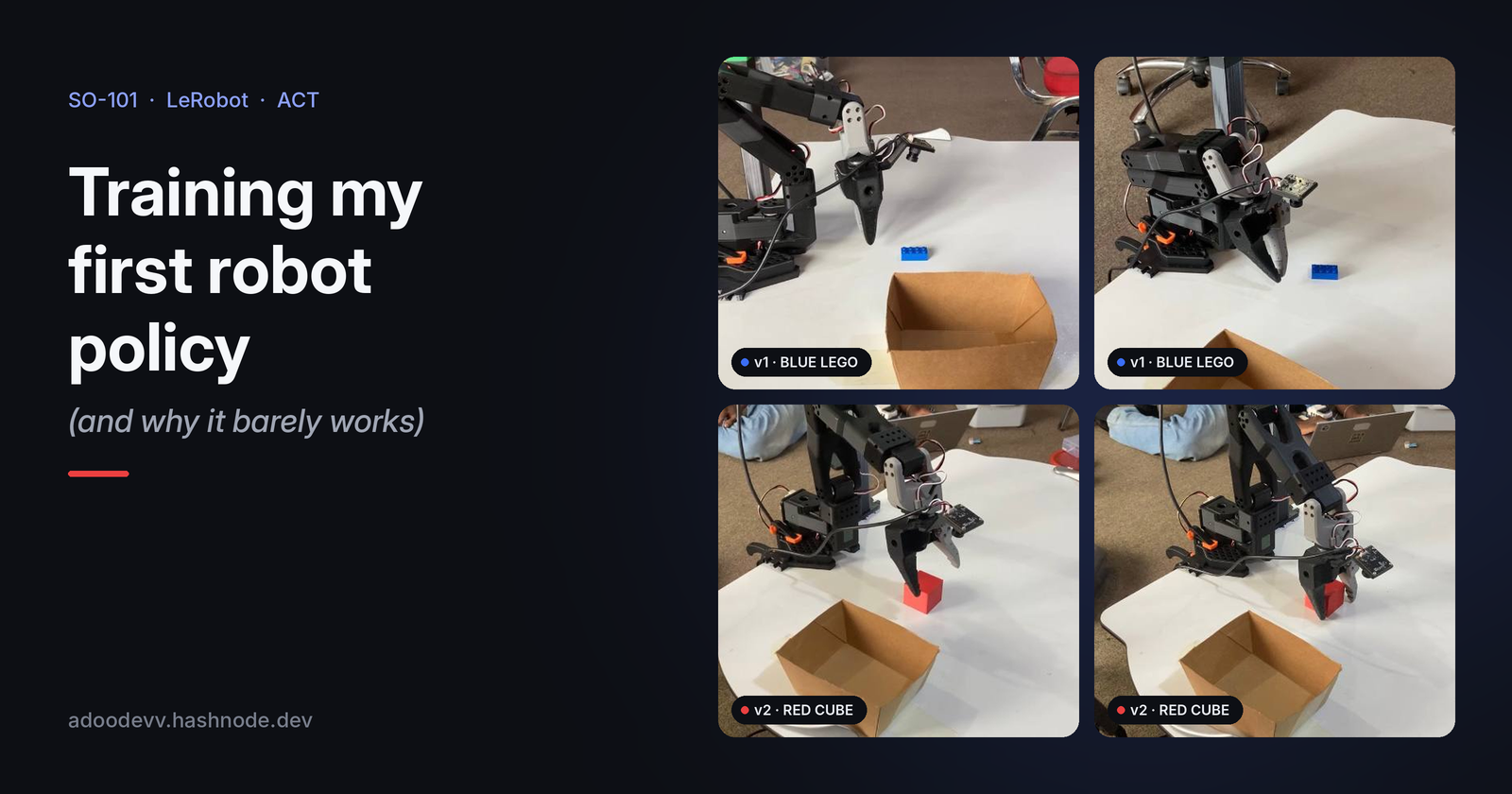
I trained my first robot policy, and it barely works. Move the block a little away from where I trained it, and the arm reaches, hesitates and misses.
So I trained a second one. Same arm, same model, a new object and a new dataset where I was much stricter about how I moved during every demonstration. This one picks and places the cube well.
In this post I walk through both: setting up two SO-101 arms, recording demonstrations, training ACT policies in the cloud for under a dollar, and what changed between the policy that barely works and the one that does. If you're just getting into robot learning with LeRobot, this is the post I wish I had read first.
The setup
The SO-101 is a low-cost, open-source arm designed to work with Hugging Face's LeRobot library. You build two of them:
- Leader arm: the one you move by hand. It has no job except reading joint positions.
- Follower arm: the one that copies the leader. This is the arm the policy will eventually control.
This is called teleoperation. You move the leader, the follower mirrors you, and LeRobot records everything the follower sees and does.
Here's what I'm running:
| Part | What I use |
|---|---|
| Arms | SO-101 leader (my_leader, /dev/ttyACM1) and follower (my_follower, /dev/ttyACM0) |
| Camera | One wrist camera on the follower, 640×480 at 30 fps |
| OS | Ubuntu 24.04 |
| Software | LeRobot in a conda env, plus LeLab for recording |
LeLab is a web UI on top of LeRobot. Instead of typing long recording commands, you click through calibration, teleoperation and recording. For a first project it removes a lot of friction.
Recording the datasets
I recorded two pick-and-place datasets with LeLab. Each episode is one full demonstration: the arm at rest, grabbing the object, dropping it in a box. Both are public on my Hugging Face.
| Dataset | Object | Episodes | How I recorded it |
|---|---|---|---|
| pick_and_place_blue_lego | Blue lego block | 50 | Whatever felt natural in each demo |
| pick_and_place_red_cube | Red cube | 60 | The same sequence every time |
For the red cube, every demo followed the same sequence: open the gripper, raise the arm, move to the cube, pick, move to the box, release. Same order, same style, every episode. With the blue lego I hadn't been that disciplined.
A few things I learnt while recording:
- Consistency matters. Same lighting, same background, same box position. The policy learns from everything in the frame, including things you didn't mean to teach it.
- Be consistent in how you move, not just in the scene. If you open the gripper early in one demo and late in another, the policy sees two different answers to the same situation.
- Re-record bad episodes. If you fumble a grasp, delete it. A sloppy demo teaches sloppy behaviour.
- Check the last episode. My final blue lego episode's video was 19 frames shorter than the data said it should be. Recording probably stopped before the video finished saving. More on how that bit me below.
Training ACT in the cloud
I used ACT (Action Chunking with Transformers) for both. Instead of predicting one motor command at a time, it predicts a short chunk of future actions. That makes the motion smoother and is one reason it works well with small datasets. It's the usual first policy people train with LeRobot.
Attempt 1: my laptop. Too slow. Not worth it.
Attempt 2: free Google Colab. The session disconnected before the first checkpoint saved, so I lost the run with nothing to resume from.
Attempt 3: Hugging Face Jobs. This runs training on Hugging Face's GPUs straight from the lerobot-train command, billed per second. You add a bit of credit to your account and point it at your dataset. Here's the blue lego run:
lerobot-train \
  --policy.type=act \
  --dataset.repo_id=adoodevv/pick_and_place_blue_lego \
  --dataset.exclude_episodes="[49]" \
  --policy.repo_id=adoodevv/act_so101_blue_lego \
  --job_name=act_so101_blue_lego \
  --steps=15000 \
  --batch_size=8 \
  --save_freq=5000 \
  --job.target=a10g-small \
  --job.timeout=3h
The first job crashed after about 1,190 steps with Invalid frame index=16232. That was the short video from the last episode. Training samples frames at random, so it ran fine until it happened to pick one of the 19 missing frames. That's probably what killed my Colab run too. Excluding episode 49 fixed it.
Why 15,000 steps? Imitation learning usually converges in 5 to 10 passes over the data. With about 16,000 frames and a batch size of 8, one pass is about 2,000 steps, so 15,000 is roughly 7 passes.
How it went on an A10G:
- About 11 steps per second, so the whole run took around 25 minutes.
- Only 2.1 GB of GPU memory, so a cheaper T4 would also work.
- Loss dropped from about 6.7 to 2.0 in the first 1,000 steps.
- Total cost: under a dollar.
The red cube policy used the same setup, just pointed at the new dataset. Both policies are public: act_so101_blue_lego and act_so101_red_cube.
The results
Blue lego: it barely works
When the block sat in the spots I trained it on, the arm picked it up. Once I shifted the block away from those spots, the arm wandered toward roughly the right area, hesitated, and missed.
https://x.com/adoodevv/status/2109691855898136664?s=20
There was also a hardware hiccup along the way. During one test run, motor 3 (the elbow) stopped responding to the torque-enable command. It turned out to be a cable or power issue, not a dead motor. That same run also triggered a recalibration of the follower arm, which can make the arm's joint readings slightly different from what the policy saw during training. Worth knowing if your results suddenly get worse.
Red cube: it works
With the stricter demonstrations, the red cube policy picks the cube and places it in the box cleanly.
https://x.com/adoodevv/status/2109692096139641138?s=20
Why the first one barely works
The biggest problem is that the policy can't see the object until it's almost on top of it.
My only camera is on the wrist. At the start of an episode, the arm is at rest and the wrist camera points at a patch of table that may not even include the block. The policy has to guess where to go. Only in the last few centimetres does the block fill the frame. When the block is somewhere new, the guess is wrong, and the arm hesitates.
A few other things that made it worse:
- Inconsistent demonstrations. My blue lego demos didn't follow one fixed sequence. The red cube result suggests this mattered a lot: same arm, same camera, same model, and the consistent dataset worked much better.
- Not enough variety in position. The policy learnt the spots I showed it and little else.
- A small dataset. 50 episodes is enough to learn one narrow behaviour, not enough to generalise.
- Calibration drift. The accidental recalibration means the follower's joint readings may not match the training data exactly.
The lessons: the policy can only use what's in its observations, and it can only copy what you consistently show it. Clean, repeatable demos go a long way.
What's next
The wrist-camera problem is still there, even with the red cube. So next I'm recording the red cube task again with an overhead camera looking down at the whole workspace. That way the policy can see the cube from the very first frame, and I can test whether it handles cube positions it hasn't seen before.
After that, I want to try SmolVLA, a small vision-language-action model from Hugging Face. Unlike ACT, it also takes the task text as input, so in principle it can follow instructions instead of just repeating one behaviour. Comparing it against ACT on the same dataset will be a future post.
If you're training your first policy and it barely works too, you're in good company. Let me know what you're building.
About the author
- Fascinated by robots when I was young and I've been learning about them since
Comments
Join the discussionNo comments yet. Be the first to comment.


